


ASTER is a multiseat software for Windows 7/8/10/11, Windows Server 2016/2019/2022 and Linux.
Our software allows several users to work on the same PC, thus significantly reducing hardware and power costs.
Users can organize several workspaces by connecting several monitors, keyboards, and mice to one PC.
ASTER is zero-client software – it creates virtual desktop clients without additional thin client hardware.


LICENSE INFORMATION

Annual License
-
This is a 1-year license for ASTER installation on Microsoft Windows 8/10/11, Windows Server 2016/2019/2022
-
The license allows organizing 2/3/6 workplaces
-
The number of workplaces can be expanded up to 12 workplaces by activating multiple licenses on the same PC
-
It is possible to transfer the license to another PC
-
The license is supported only starting from the 2.51 ASTER version
Starts from ₹1,519.00

Lifetime License
-
This is a lifetime license for ASTER installation on Microsoft Windows 7/8/10/11, Windows Server 2016/2019/2022
-
The license allows organizing 2/3/6 workplaces
-
The number of workplaces can be expanded up to 12 workplaces by activating multiple licenses on the same PC
-
It is possible to transfer the license to another PC
Starts from ₹6,080.00
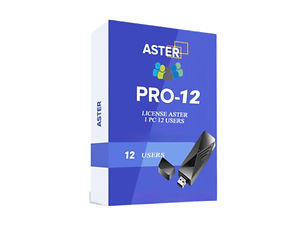
USB-PRO
-
This is a lifetime license for ASTER installation on Microsoft Windows 7/8/10/11, Windows Server 2016/2019/2022 in the form of a USB token.
-
The license allows you to organize 12 workstations on one PC without Internet access.
-
The license can be activated on any Windows PC.
-
Read our article about the benefits of the license.
Starts from ₹42,366.00
SIMPLE CONNECTION

More About Aster
ASTER (Alternative System for Terminal Emulation and Remote Access) is a multiseat software for Windows, enabling multiple users to work independently on a single PC.
Here are some of its key features:
Multiple Workstations: Create up to 12 independent Windows workplaces based on a single PC by adding monitors, keyboards, and mice. This is particularly useful in environments such as schools, offices, or internet cafés, where multiple users require computer access without incurring the cost of additional hardware.
Hardware Efficiency: ASTER supports the use of multiple video cards, as well as multiple outputs from a single card. This enables each user to have their own display. It is compatible with VGA, DVI, HDMI and DisplayPort video cards.
User Experience: Each user has their own desktop, taskbar, and system resources, as if they had their own computer. This setup includes personalized settings and independent operation, ensuring each user’s privacy and autonomy.
Resource Allocation: Users can share common hardware resources, such as printers and scanners, while maintaining dedicated peripherals, such as keyboards and mice. You can also assign specific USB devices to individual users.
Software Compatibility: While ASTER generally supports running multiple instances of software, some programs may not be fully compatible and may refuse to run in multiple instances. This can vary depending on the software.
Ease of Use: The software has a simple installation and configuration process. The control panel makes it easy to manage devices, video cards, and audio settings for each workplace.
Network Features: ASTER includes networking capabilities, such as proxy settings, which some users may not utilize. It also manages the usage of shared IP addresses among workplaces.
Compatibility with Windows: ASTER supports various Windows versions, including Windows 7, 8, 10, and 11, as well as Windows Server 2016 and 2019.
Cost-Effective: By eliminating the need for extra computers, ASTER provides an economical way to set up multiple workplaces. This is particularly beneficial for educational settings and businesses looking to save on hardware costs.
Zero-Client Software: It enables the creation of zero clients, allowing virtual desktops to be set up without thin client hardware. This further reduces costs and complexity.
Support and Updates: ASTER regularly releases updates to ensure compatibility with new Windows builds and fix bugs. Support options include email and chat assistance.
MORE ABOUT ASTER

ASTER supports any video cards, monitors, speakers, microphones, webcams, tablets, card readers, and many other devices

Also supports BLUETOOTH, WIFI and MIRACAST wireless devices

DIFFERENCES WITH OTHER MULTISEAT SOLUTIONS
-
ASTER operates well with video and 3D graphics applications unlike virtual machines and thin-clients
-
ASTER operates without an Internet connection and without a monthly fee, unlike cloud-client solutions
-
ASTER supports Windows 10/11 unlike other zero clients
-
ASTER has low requirements for computer resources (CPU, RAM, etc.) unlike thin clients and terminals
-
ASTER is compatible with the most modern peripherals (USB and wireless video/audio adapters, webcams, tablets, card readers, etc.)


USE CASES